

Esta página aún no está traducida al español, así que estás leyendo la versión en inglés.
The coach area
How a coach signs in, and what they find there: today, the schedule, each class's roster with attendance, courses and members.
The coach area is part of your club's app. There is no separate coach login and no password. You sign in with your own member account and your phone code, as every player does. Once the club has linked your account to your coach profile and given you app access, a Coach entry appears in the app for you.
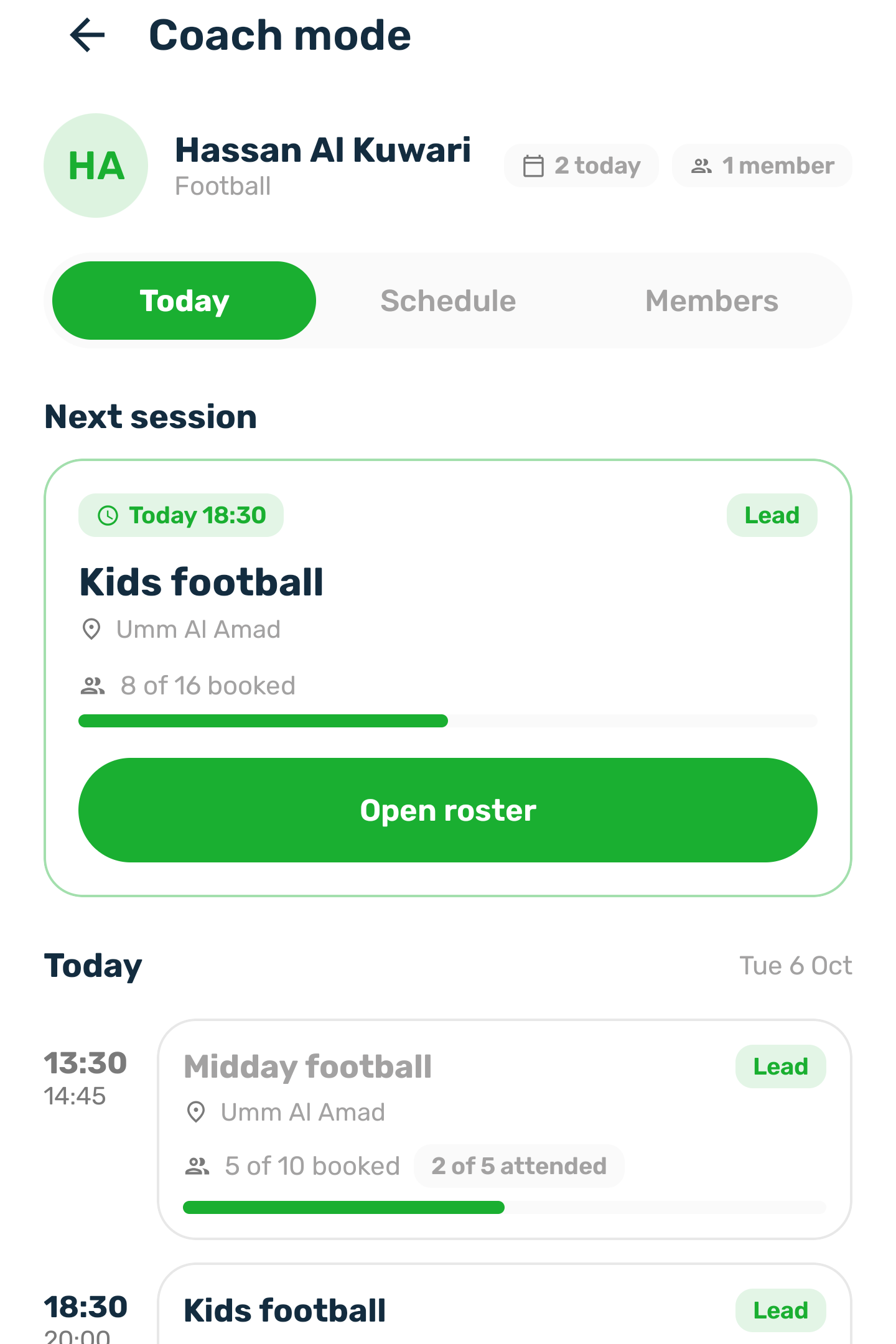
Today and your schedule#
- A summary shows your classes today, your upcoming classes and how many members you coach.
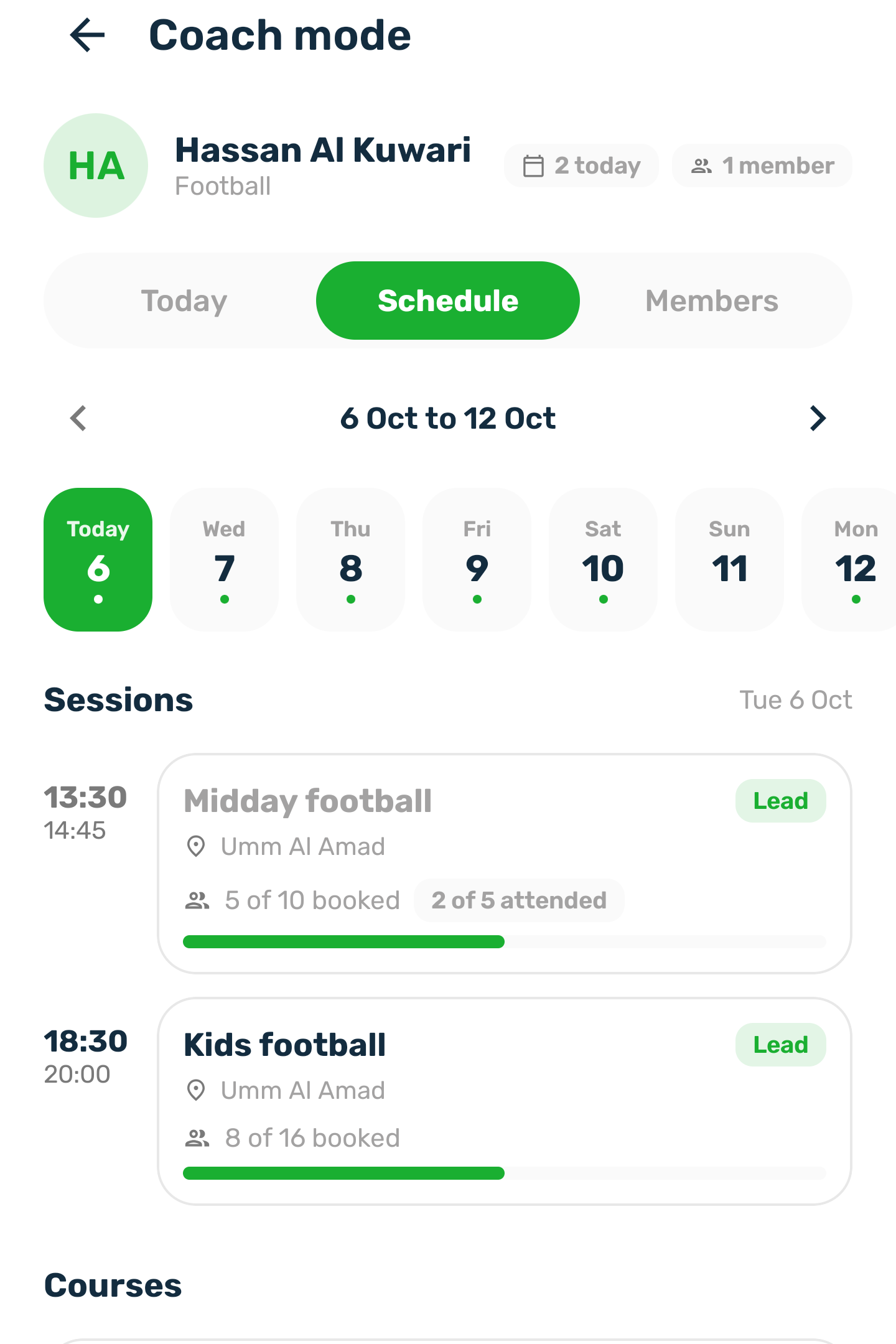
- The schedule lists the published classes you lead or assist, every class of a course you are on, and those courses. It starts with today and the next 6 days. You can look at up to about two months at a time.
- Each class shows its time and length, where it takes place (a court or a club), your role (lead or assistant), how many are booked and how many came.
- Days and times follow the venue's clock, so a class is past or upcoming the same way for everyone.
A class and its roster#
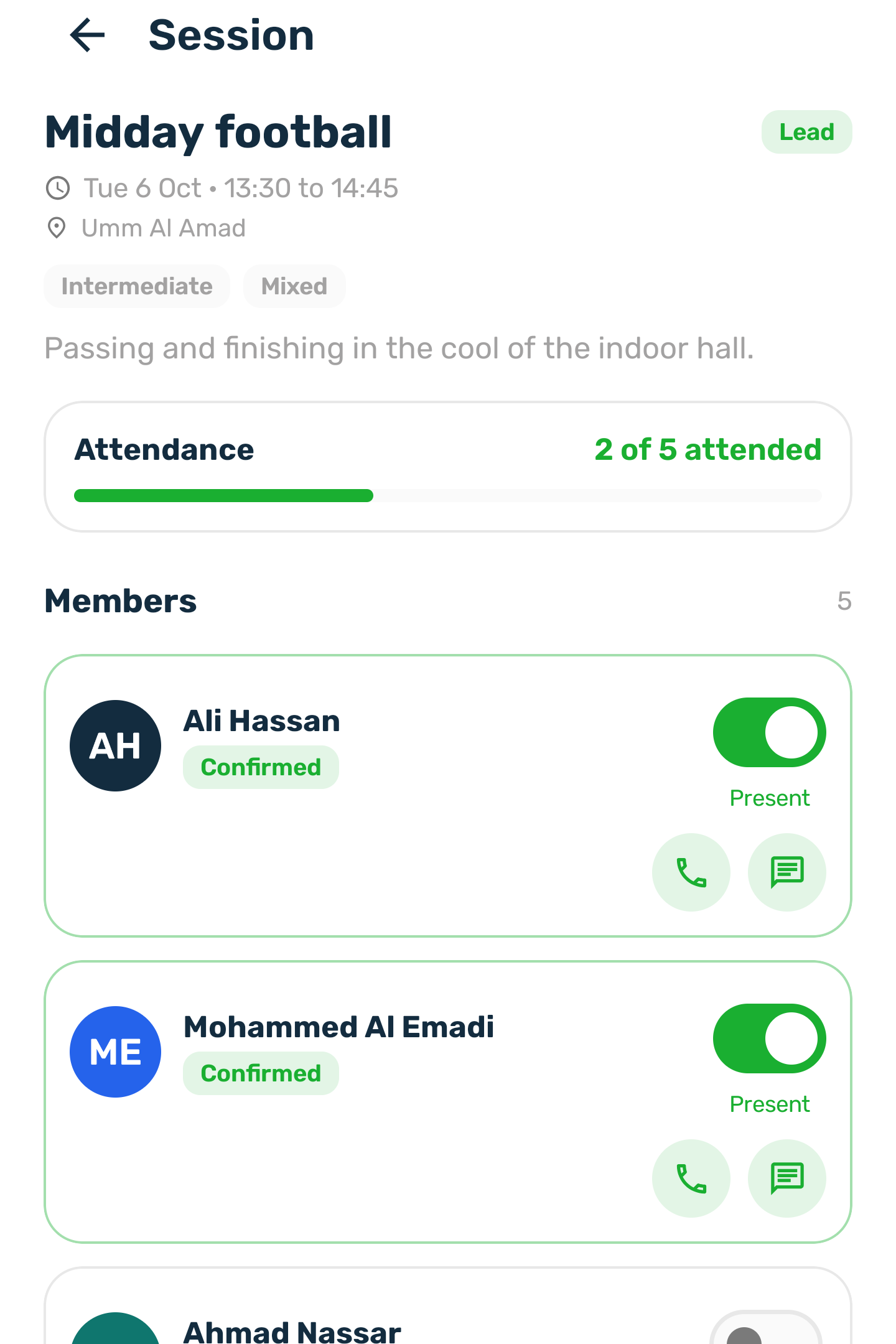
Open a class to see everyone booked on it:
- their name and phone number
- their booking and payment status
- whether they came
- the sports they are interested in and their level, from their player profile
Cancelled seats are not listed. Someone your club added at the desk shows the name and phone the staff typed.
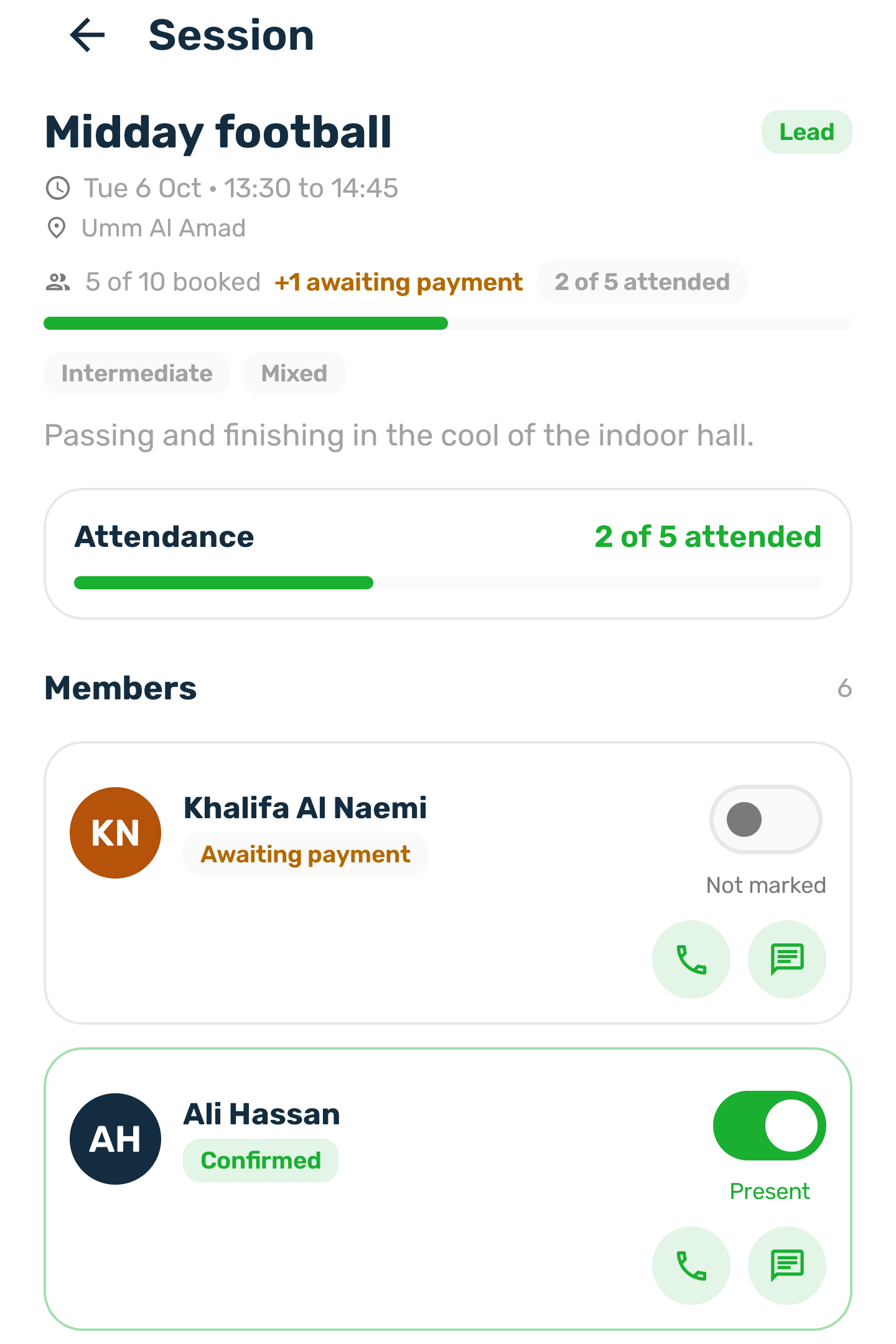
The seat count shows paid seats only, for example 5 of 10 booked. A seat whose payment has not come in yet is counted apart, as +1 awaiting payment, and its row on the roster carries an Awaiting payment chip. It joins the booked count once it is paid.
Mark attendance#
Mark each person present from the day of the class onward. You cannot mark anyone present before that day, and you can clear a mark at any time. Your club's staff see the same attendance in the portal, and the other way round.
Courses#
A course shows its sessions, each with how many are booked and how many came, and the members enrolled in the course with their phone numbers.
Members#
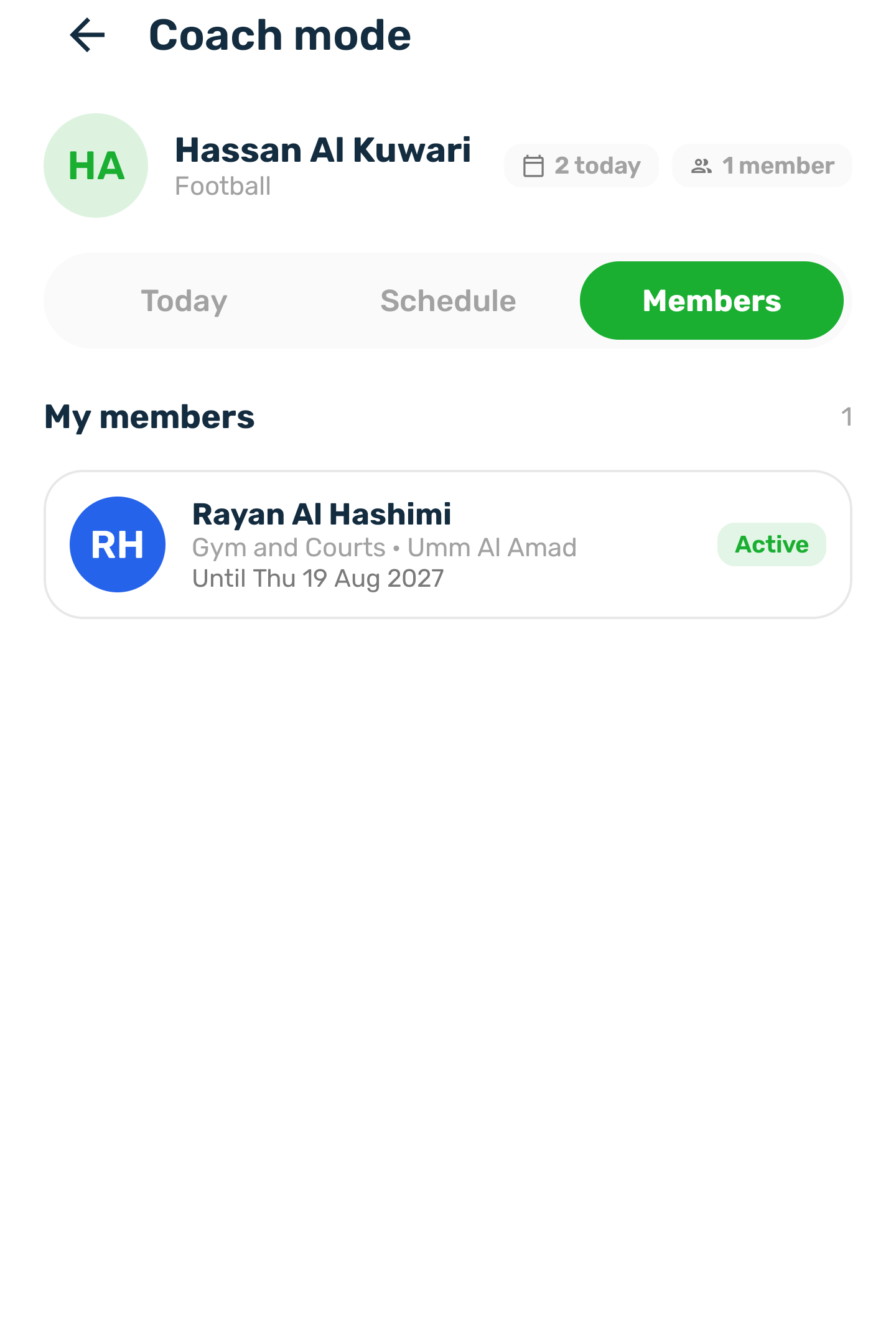
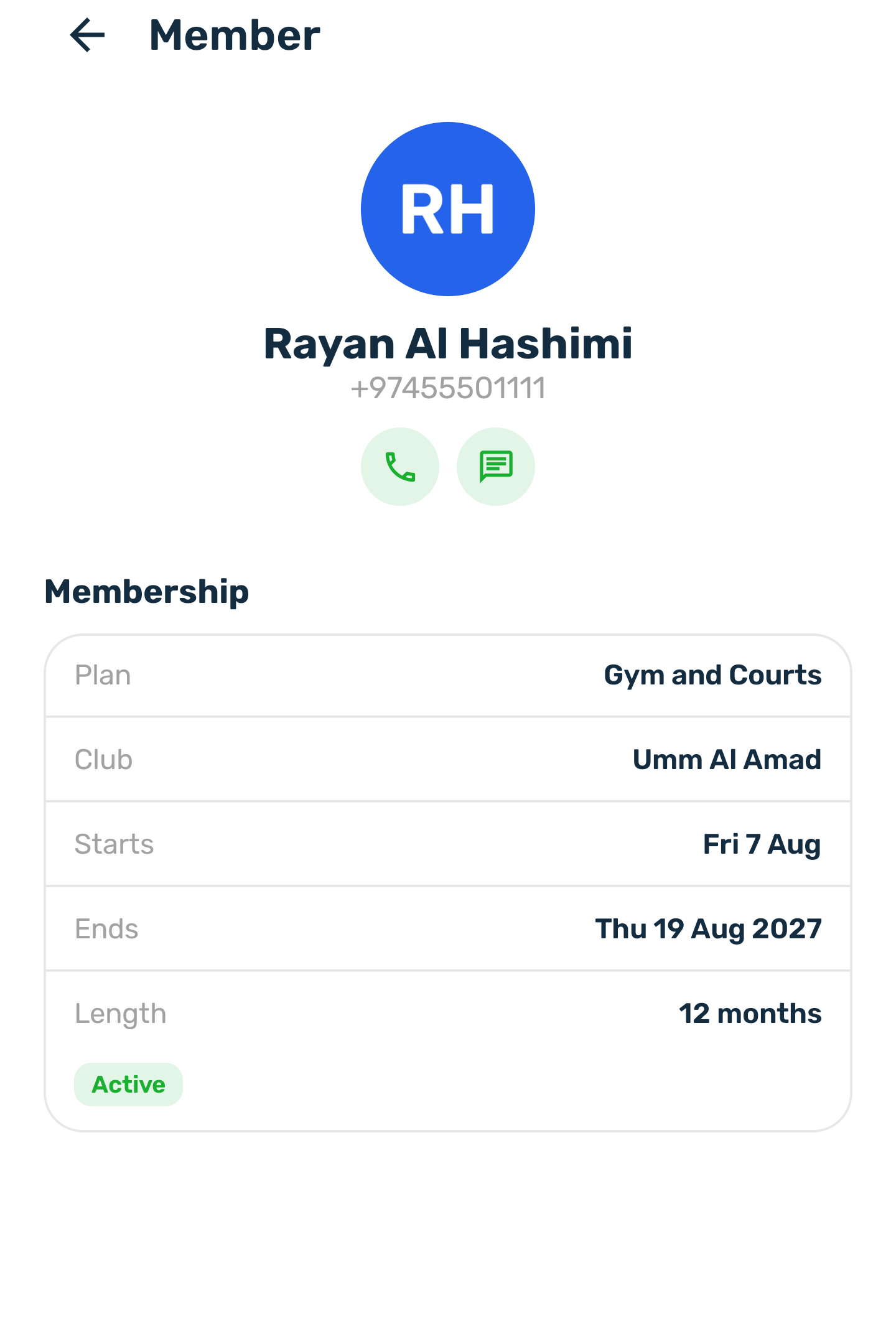
Members lists the paid, current memberships whose member chose you on a plan, or whom the club assigned to you. Each shows the member's name and phone, the plan and club, the start and end dates, whether it is frozen, and the sports the member is interested in. Open one to see the notes left when subscribing and the other people on a couple or family membership.
Your profile and hours#
You also see your sports, your usual session length, your working hours and your time off as the club set them. The reason for time off stays with the club.
What you can see, and what is recorded#
- Only the people assigned to you: those booked on your classes and courses, and the members who chose you.
- Only published classes. Drafts and archived classes do not appear.
- Each time you open a roster or a member, and each attendance change, is recorded in the club's audit log under your account.