

Esta página aún no está traducida al español, así que estás leyendo la versión en inglés.
Create a coach
The Coaches page, every part of the coach form, and what players see of a public or a private coach.
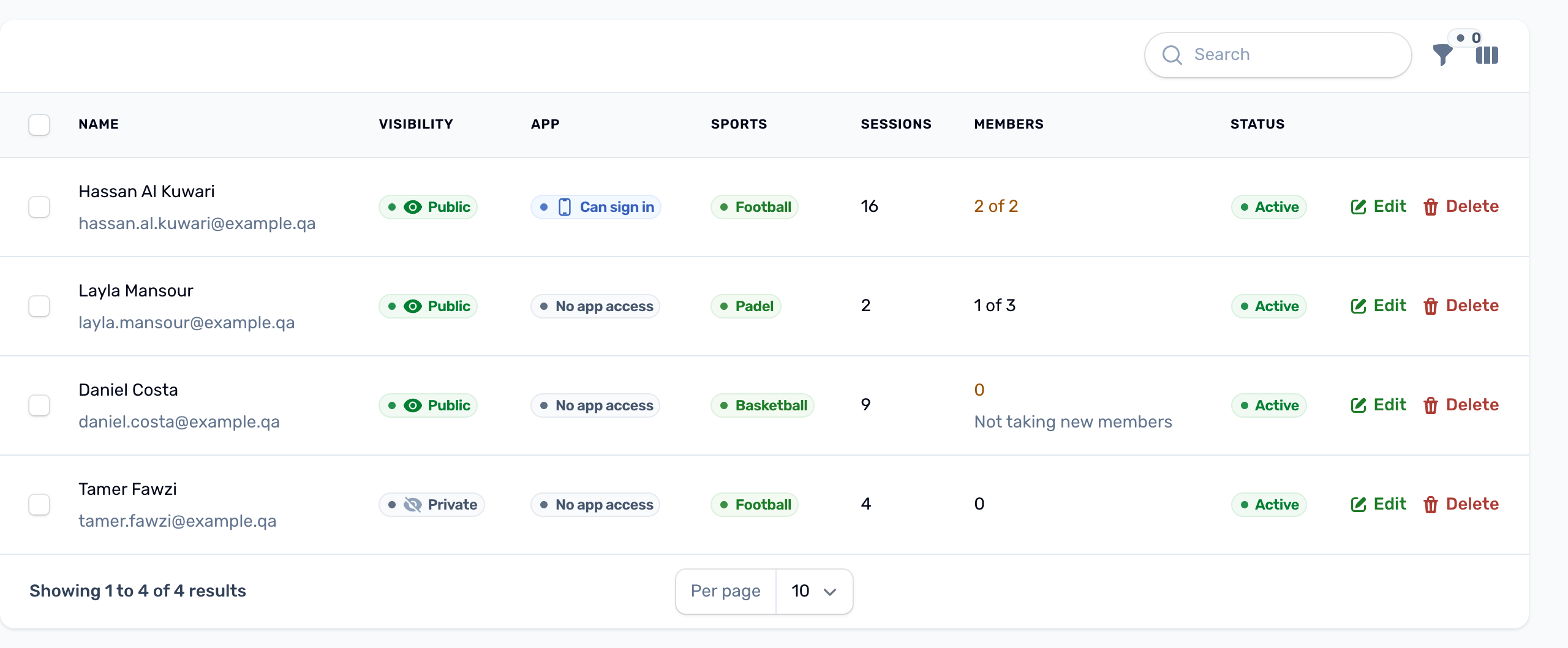
Open Coaches in the Coaching group of the portal menu. The list shows each coach with their photo, name and email, coach type, Visibility (Public or Private), App (Can sign in or No app access), tier, sports, how many sessions they run, experience and status. Filter by status, visibility and coach type.
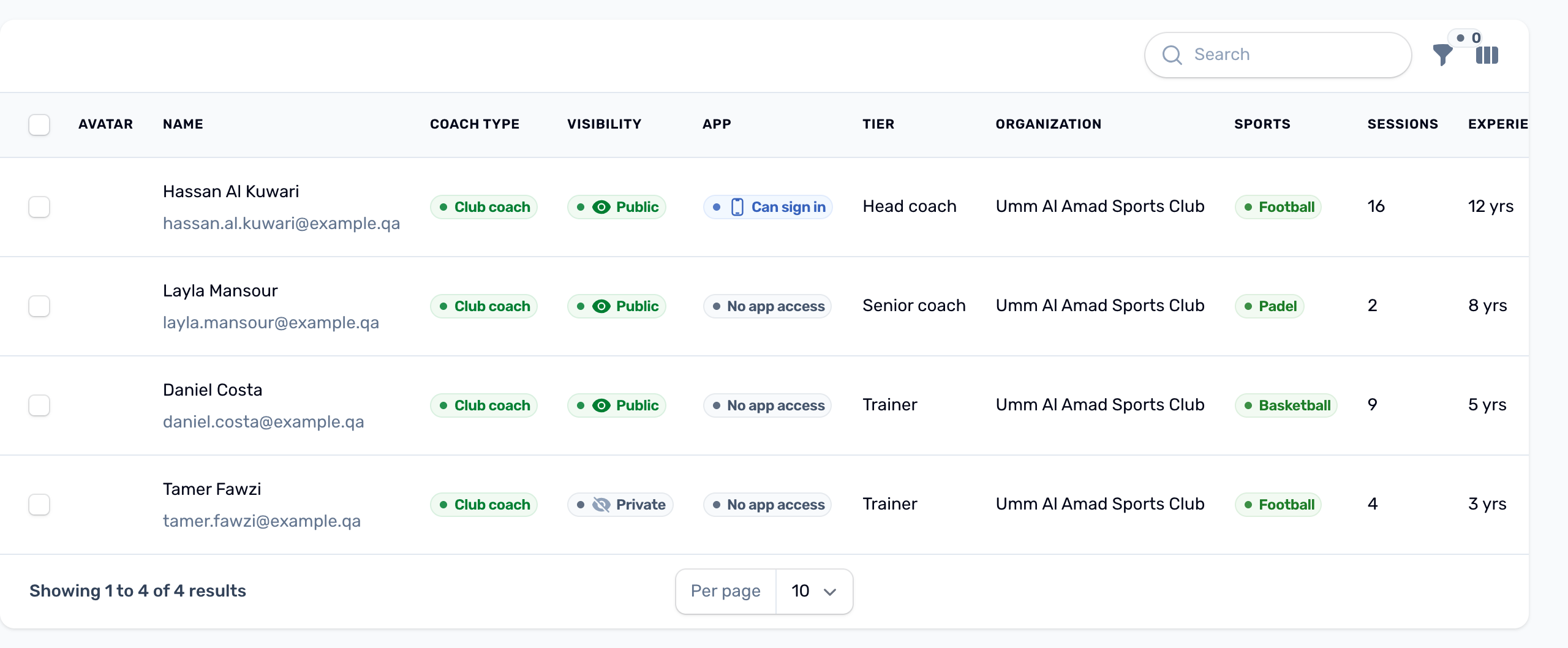
Use the New button at the top of the list to add a coach, or the pencil on a row to change one.
Profile#
| Field | What to know |
|---|---|
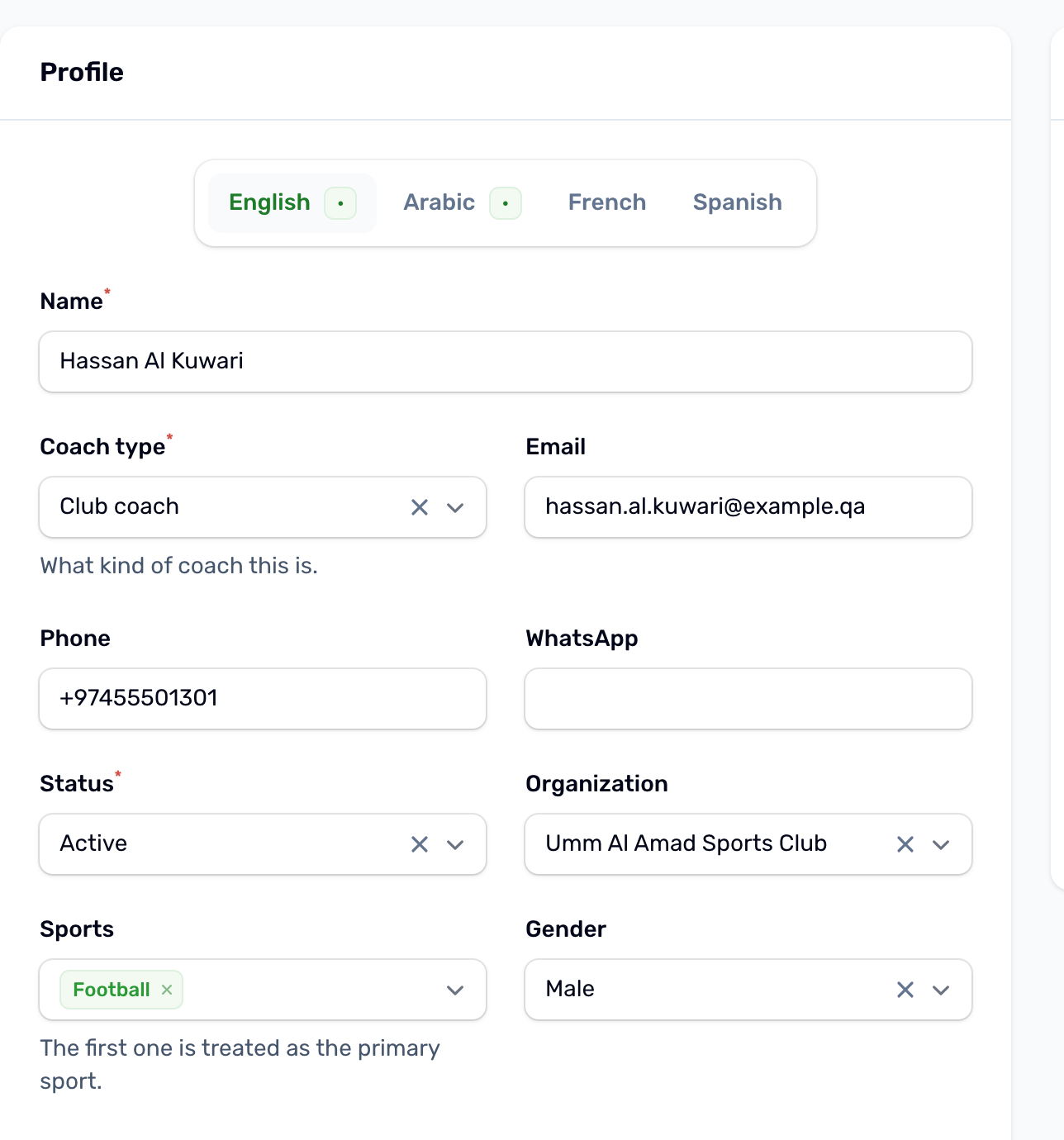
| Name | Required. Type it in each language your players use. Players always see the name. |
| Coach type | Trainer, Club coach or Instructor. |
| Email, Phone, WhatsApp | For your team. Never shown to players. |
| Status | Active or Inactive. An inactive coach leaves the coach list in the app, cannot be picked for a class or a plan, and loses the coach area. |
| Organization | Optional. The organization the coach works for. |
| Sports | The sports they coach, picked from the sports your club runs. |
| Gender, Nationality, Coaching since, Experience, Coaching place | Optional details for the profile. |
| Certifications | One tag per certificate. Type it exactly as it was awarded, because it is not translated. |
| Bio, Policies | Optional text, per language. |
Visibility: Public or Private#
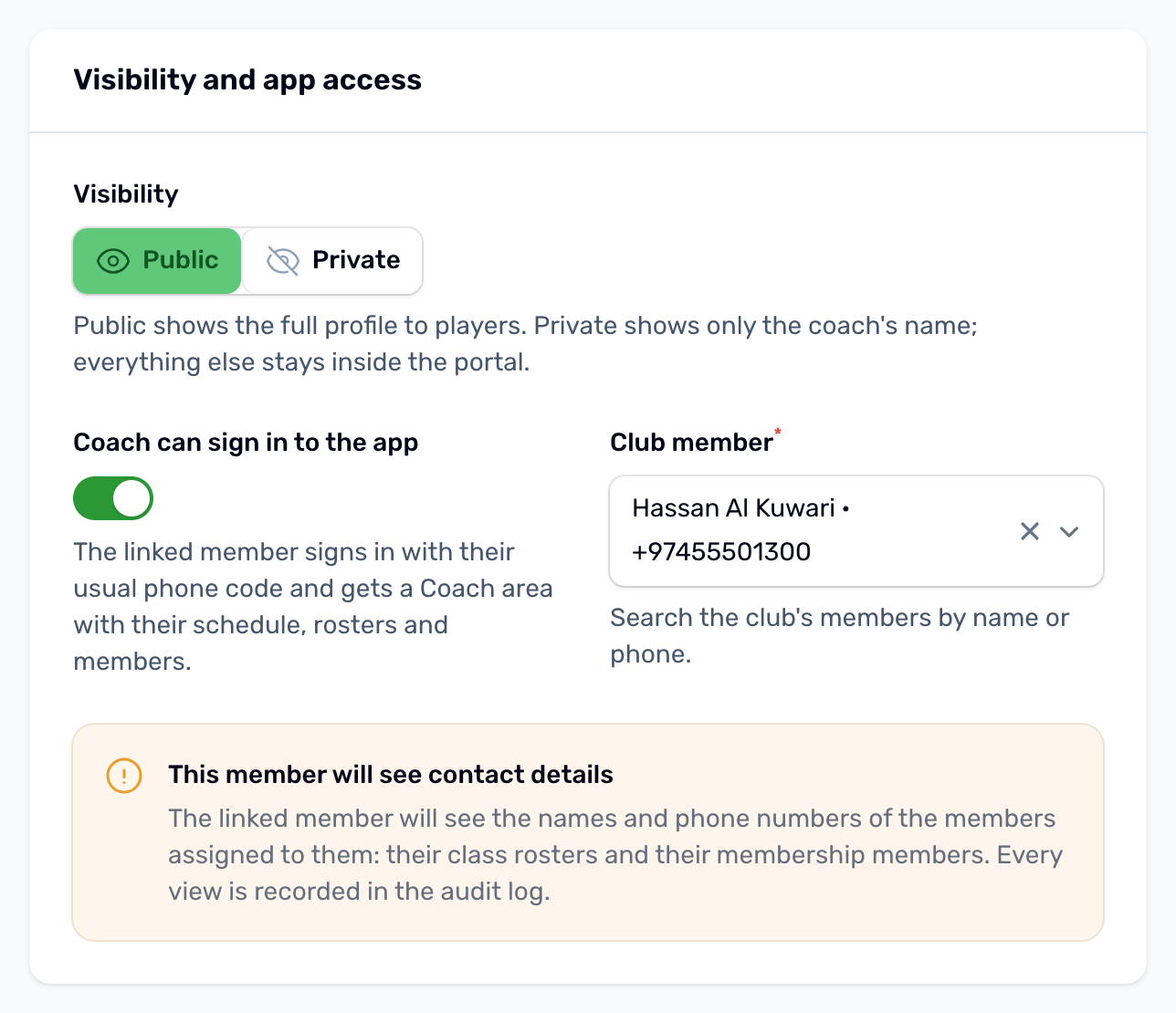
Visibility decides how much players see. Players always see the coach's name, on class cards and in the coach list.
| Public | Private | |
|---|---|---|
| Name | Shown | Shown, with initials in place of a photo |
| Photo, cover image, bio, sports, coach type, tier, experience, certifications, gender, nationality, rating | Shown | Kept inside the portal |
| Phone, email, WhatsApp | Never shown | Never shown |
| Members' phone numbers in the coach area | Shown, with call and message buttons | Hidden, no call or message button |
Public is the default, and every coach that existed before this setting is Public. In the app, the sport, gender and tier filters of the coach list only find public coaches.
Coaching#
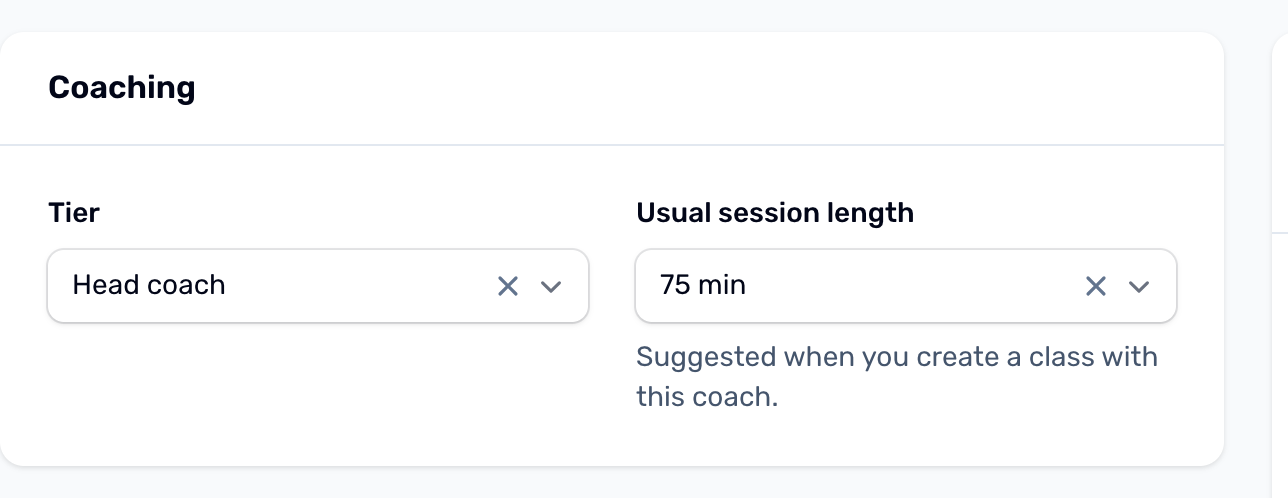
- Tier: Trainer, Senior coach or Head coach. Players can filter the coach list by tier.
- Usual session length: 30, 45, 60, 75, 90 or 120 min. When you create a new class and pick this coach, the class length is set to it. Editing a class never changes its length.
Working hours and time off#
A weekly template and a list of leave dates. The class editor warns you when a class falls outside them. See Working hours and time off.
App access#
Coach can sign in to the app gives the coach a coach area in your app, once you link them to their club member account. See App access for coaches.
Memberships#
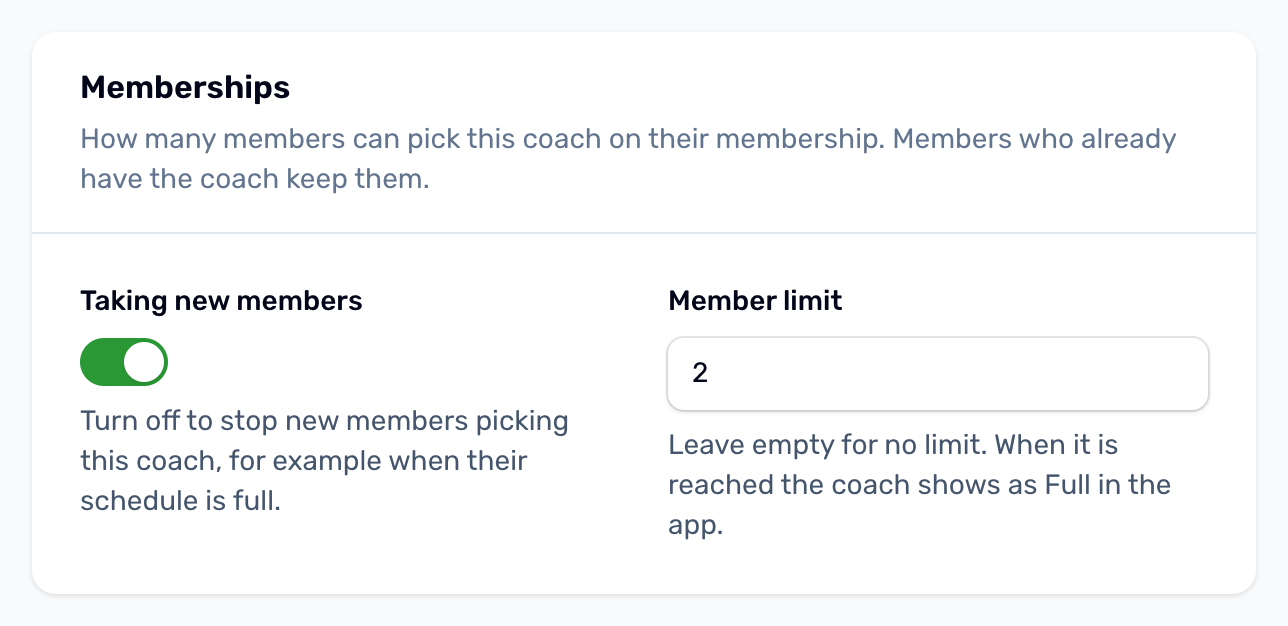
Shown when you sell memberships. Taking new members lets members pick this coach on a membership; turn it off when the coach's schedule is full or you want to stop new sign ups for a while. Member limit caps how many current members can have the coach (leave it empty for no limit). Members who already have the coach keep them and can renew; the coaches table shows each coach's members against their limit.
In the Members column of the Coaches list, a coach at their limit shows in amber, for example 2 of 2, and a coach who is not taking new members says so under the count.
Media#
Avatar, Cover image and Coaching place logo. Players see them only when the coach is Public.