

Cette page n’est pas encore traduite en français. Vous lisez la version anglaise.
The Classes and courses page
One page for every venue's classes and courses: pick a court or a club, then plan the week, the list and the course packages.
Open Classes and courses in the Classes group of the portal menu. It is the same board as the Classes & Courses tab inside a court, with a venue picker in front, so you can run every venue's classes from one place. It is also the only place for classes that need no court.
Pick a venue#
The Venue list has two groups:
- Clubs: your venues themselves, for classes that do not need a court, such as yoga, a gym class or a swimming course.
- Courts: every court, shown with the name of its venue, for training on that court.
The page opens on your first club. If you have no courts and no clubs yet, add a club under Organizations & Venues first.
The board#
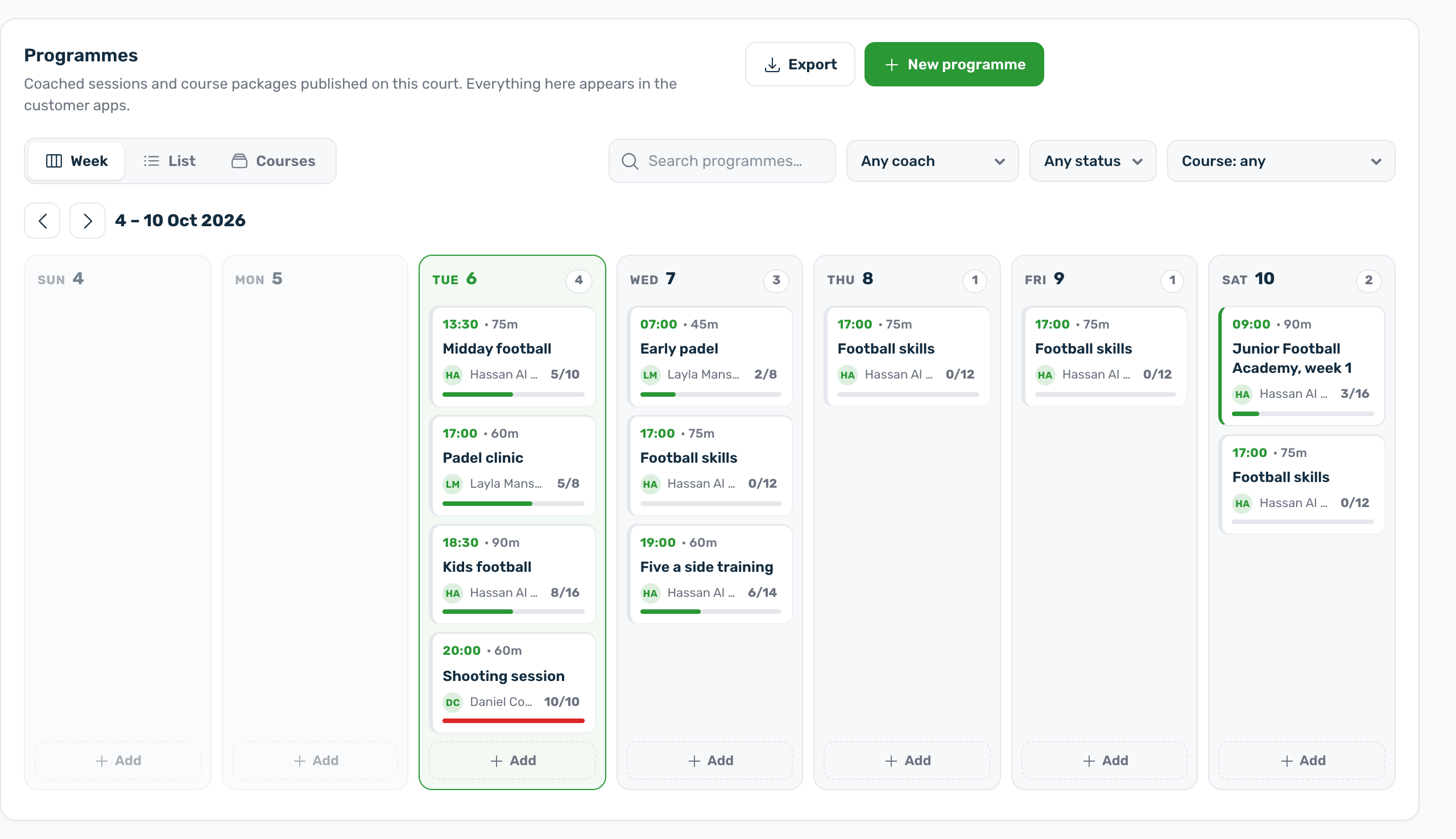
Under Programmes, the top row counts the sessions in the next 7 days, the seats filled this week, the classes that are almost full and the drafts not yet live. Then choose a view:
- Week: the classes of one week, day by day. Use Previous week, Next week and This week to move.
- List: every class matching the filters, with Upcoming, Past or All dates.
- Courses: the course packages, each with its sessions. Use Add a session to this course to attach one.
Search by name and filter by coach, status and course. Each class shows its time, length, coach, seats and price. Who is coming opens its roster, see Who is coming and attendance. Click a class to edit it.
Add something#
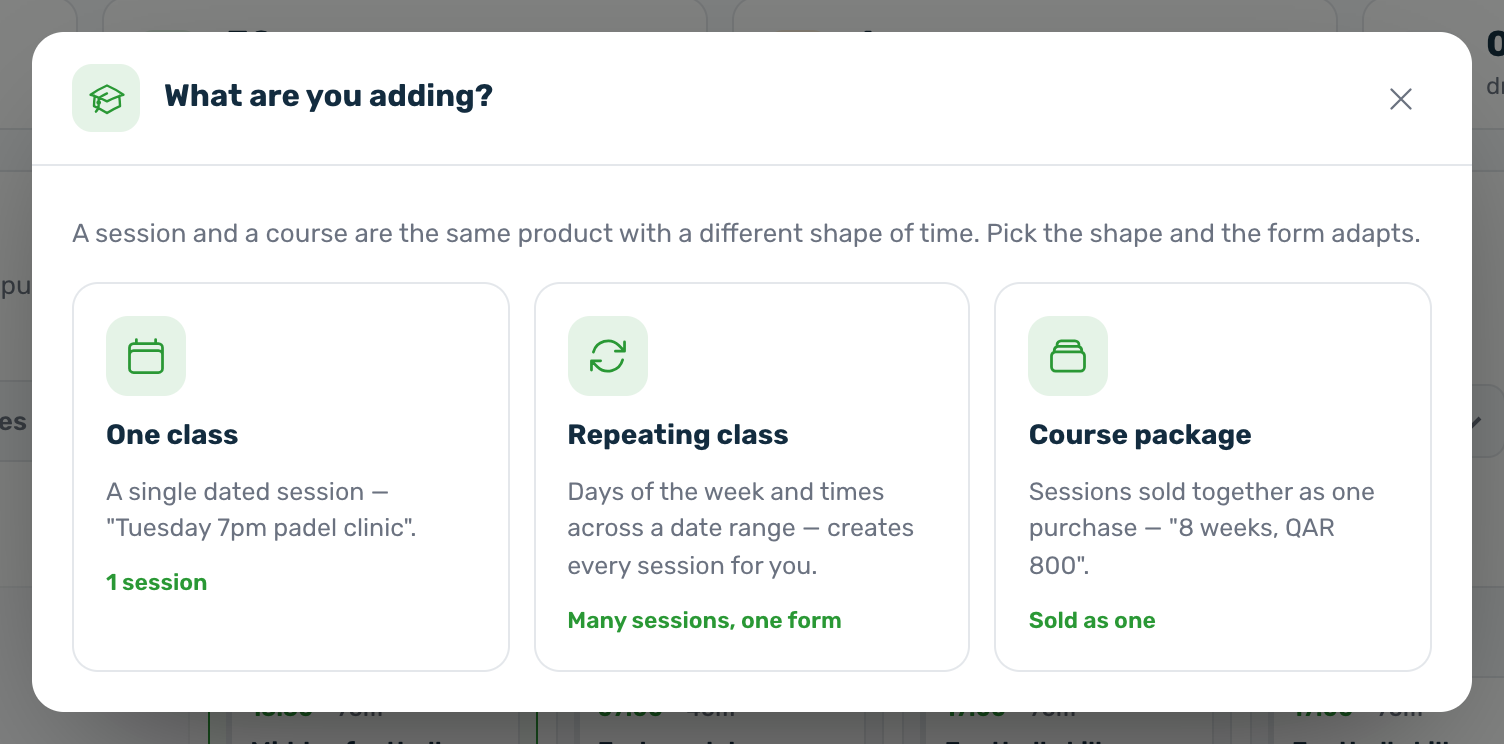
Press New programme. The window asks What are you adding?
| Choice | What it makes |
|---|---|
| One class | A single dated session. |
| Repeating class | Days of the week and times across a date range. It creates every session for you in one go. |
| Course package | Sessions sold together as one purchase. |
The editor that opens is explained in Create a class or a course.
What players see from a venue#
- Published classes and courses of a club, and of a court with Sessions on this court switched on, appear in the club wide list of classes in the app.
- A court's classes also appear on that court's Sessions tab in the app.
- Drafts and archived classes never reach the app.