

Cette page n’est pas encore traduite en français. Vous lisez la version anglaise.
Turn the services on
Switch Classes and Coach on for your club, what each one adds, and what happens when Coach is switched off.
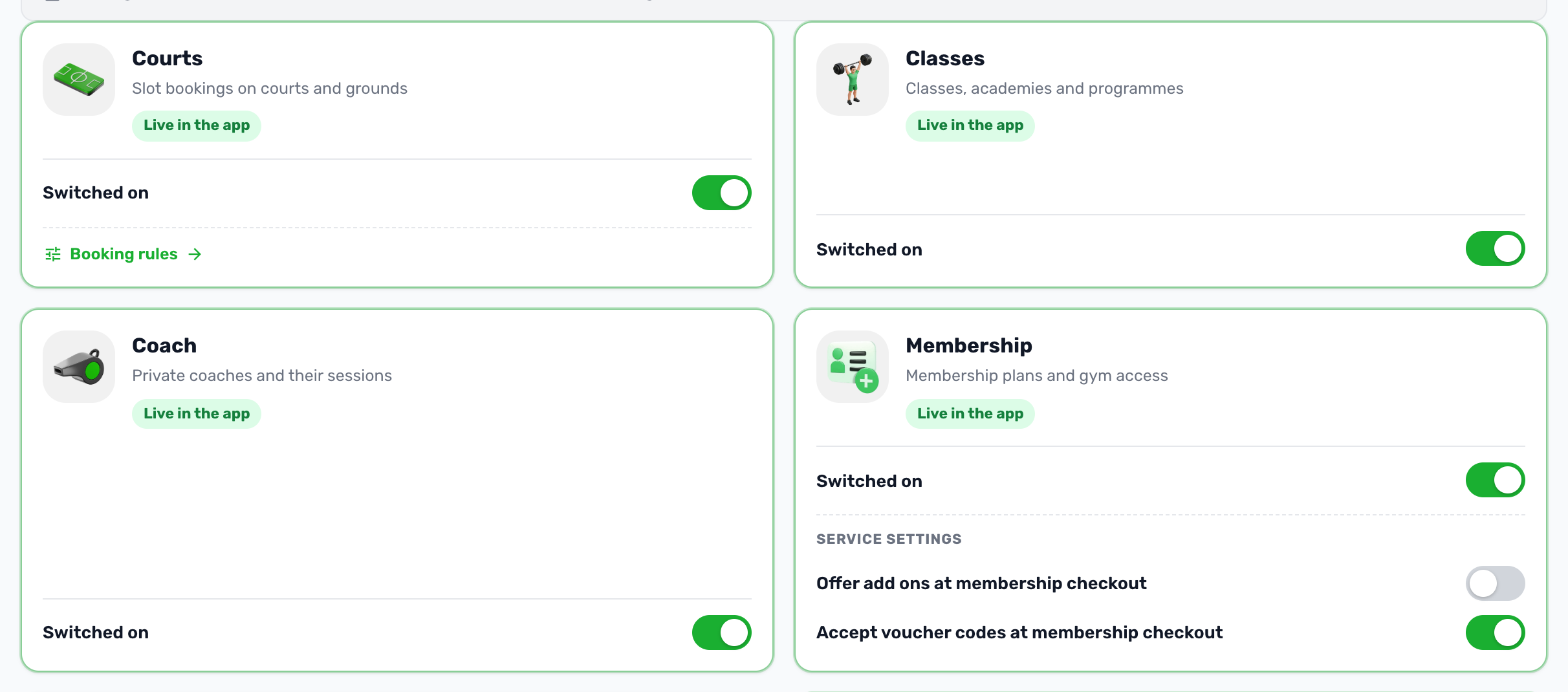
Classes and Coach are services like Courts or Memberships. Each reaches your app only when your plan includes it and your club switches it on. Both switches are in Settings, Project settings in the club portal.
Switch them on#
-
Open Project settings
In the portal sidebar, open Settings, then Project settings. -
Go to Services
Find Classes, described as classes, academies and programmes, and Coach, described as private coaches and their sessions. -
Turn the switches on
If a card says Not in your plan, its switch is locked. Contact support to add the service to your plan. -
Save settings
Review the change and save. If the portal asks for your PIN, enter it to save.
What each service adds#
| Service | In the portal | In the app |
|---|---|---|
| Classes | A Classes group in the sidebar with the Classes and courses page. | The club wide list of classes and courses, across every court that teaches and every club. |
| Coach | A Coaching group with the Coaches page. A lead coach becomes required on every class and course. A Coaches tab on membership plans, and a Coach column with Change coach on membership members. | The list of coaches and their profiles, the coach area for coaches with app access, and the coach choice when a member subscribes to a plan. |
Each page also depends on the admin's role.
When Coach is switched off#
- The Coaching group and the Coaches page leave the portal.
- Classes and courses keep the coaches already on them, and their names still show on the class. A coach becomes optional, and the editor no longer checks a coach's hours, time off or other classes.
- Players no longer see the coach list or coach profiles.
- The coach area closes for every coach at once, even on a phone that is signed in.
- Membership plans hide their Coaches tab. Members subscribe without a coach and no coach price is added. The With coach switch is back on the plan's Plan tab.
- No coach notifications are sent.
When Classes is switched off#
The Classes group and the Classes and courses page leave the portal, and the club wide list of classes leaves the app. Classes on a court stay on that court: in the court's Classes & Courses tab in the portal and on its Sessions tab in the app.