

Esta página aún no está traducida al español, así que estás leyendo la versión en inglés.
Getting started checklist
What has to be in place before players see the assistant, and how to switch it on.
Work through this list once. Most of it is data your club already keeps for its other services, and the assistant reads it as it is.
Before you switch on#
- Check your plan. The Assistant service must be in your plan. The platform admin adds it for each project. Without it, the Assistant page shows Not included in your plan with a Contact Bsporty link.
- Check the services behind each option. Book a court needs Courts, Find a class needs Classes, Find a coach needs Coach, Memberships needs Membership, Tournaments needs Tournament and Join a match needs Official matches. Each must be on under Settings, Services.
- Check your opening hours. Club info builds the week of each branch from the working hours of its courts, on the court's Schedule tab.
- Check your cancellation policy. Club info shows the policy that most of your courts use, from the court's Booking Rules tab.
- Write your questions and answers. They come from the FAQ under Settings, Policies & help, written separately in each language.
- Check your contacts. Call and Email use the Support phone number and Support email under Settings, Branding. WhatsApp is set on the Assistant page.
The full list of what each option reads is on Where the answers come from.
Switch on#
-
Open the Assistant page
In the portal sidebar, open Settings, then Assistant. -
Turn on the switch
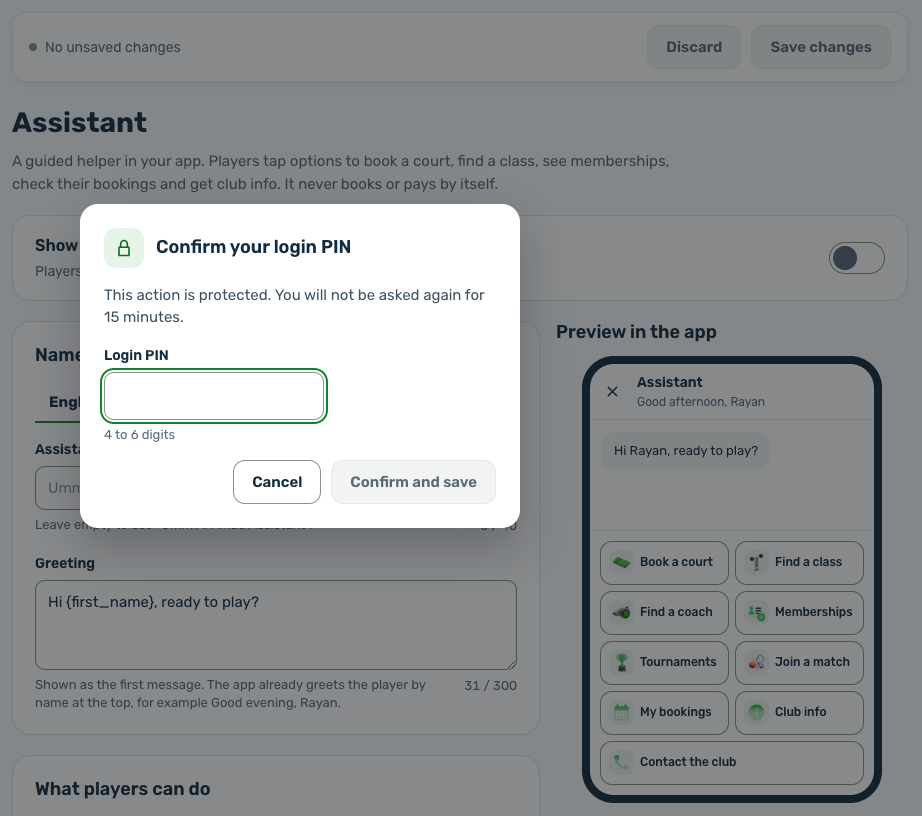
Turn on Show the assistant in the app. The portal asks for your login PIN. Enter it and choose Confirm and save. -
Set it up
Give it a name and a greeting, choose what players can do and add a WhatsApp number, then choose Save changes. -
Check it in the app
Open your app. The assistant is a round chat bubble on Home, at the bottom right, or the bottom left in Arabic.
You can also switch it on under Settings, Services, on the Assistant card. Once it is on, that card links to the Assistant page with Set up the assistant.