

Esta página aún no está traducida al español, así que estás leyendo la versión en inglés.
Book a court with the assistant
From the sport to a free time, how prices show, and what happens when the player taps Book.
Book a court asks up to four short questions and then lists the courts that are free. Every answer is a tap.
The questions#
-
Which sport?
The sports that have courts to book at your club. When there is only one, the assistant skips the question and says, for example, Padel courts it is. -
Which day?
Today and Tomorrow, then the next days as a weekday and a date, such as Tue 28 Oct, up to seven days. When your courts can be booked further ahead, Later shows the next days of the booking window, seven at a time. -
What time?
Morning (before 12:00), Afternoon (12:00 to 17:00), Evening (from 17:00) or Any time. -
How long?
The lengths the courts of that sport allow, such as 60 min or 90 min. When there is only one, the question is skipped.
The results#
The assistant answers, for example, Free football courts on Sun 25 Oct in the evening for 60 minutes. Pick a time: and shows up to eight courts, those with the most free times first. Each card has the court's name, Indoor or Outdoor, the branch when your club has more than one, the price and the free start times.
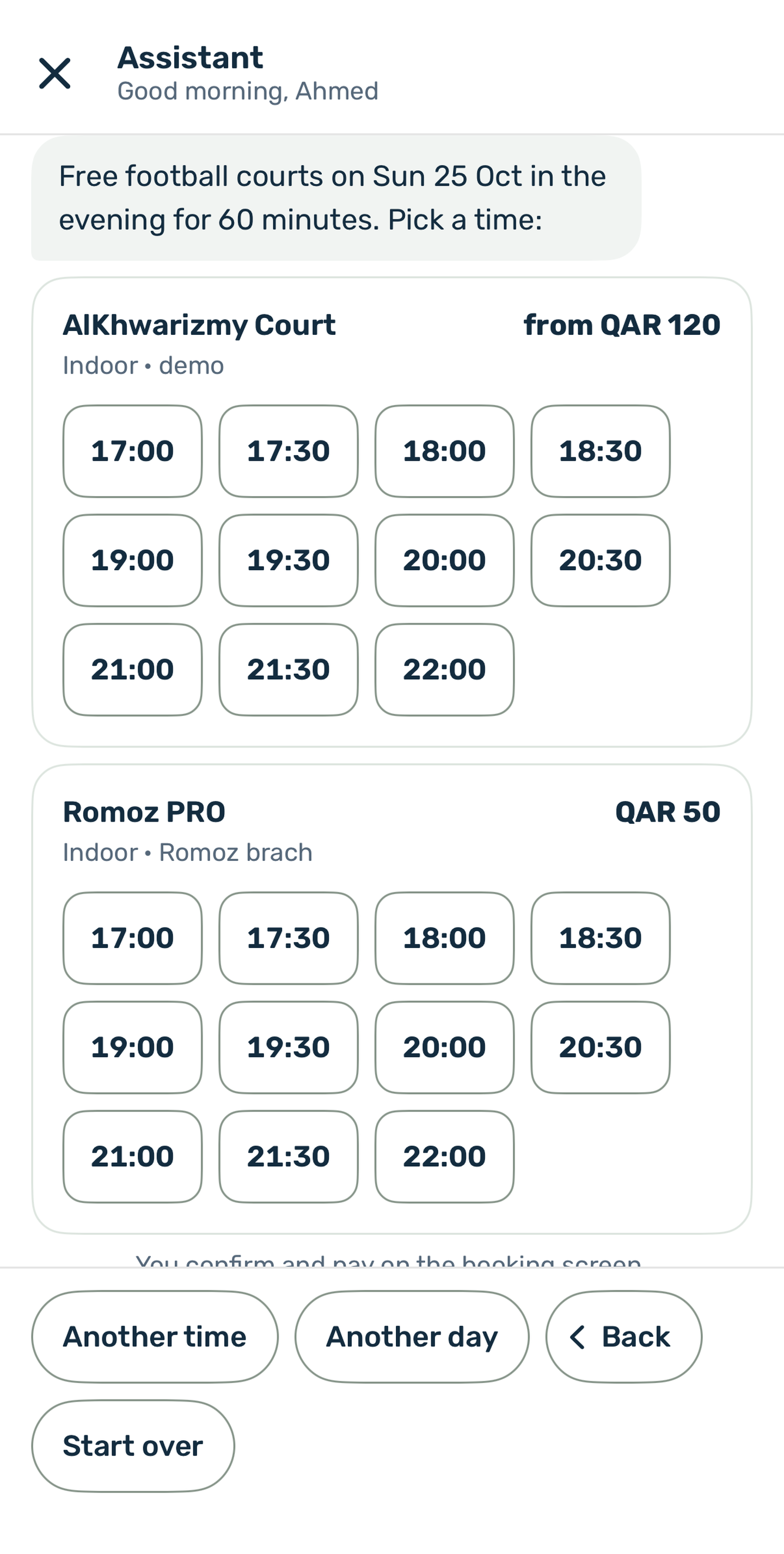
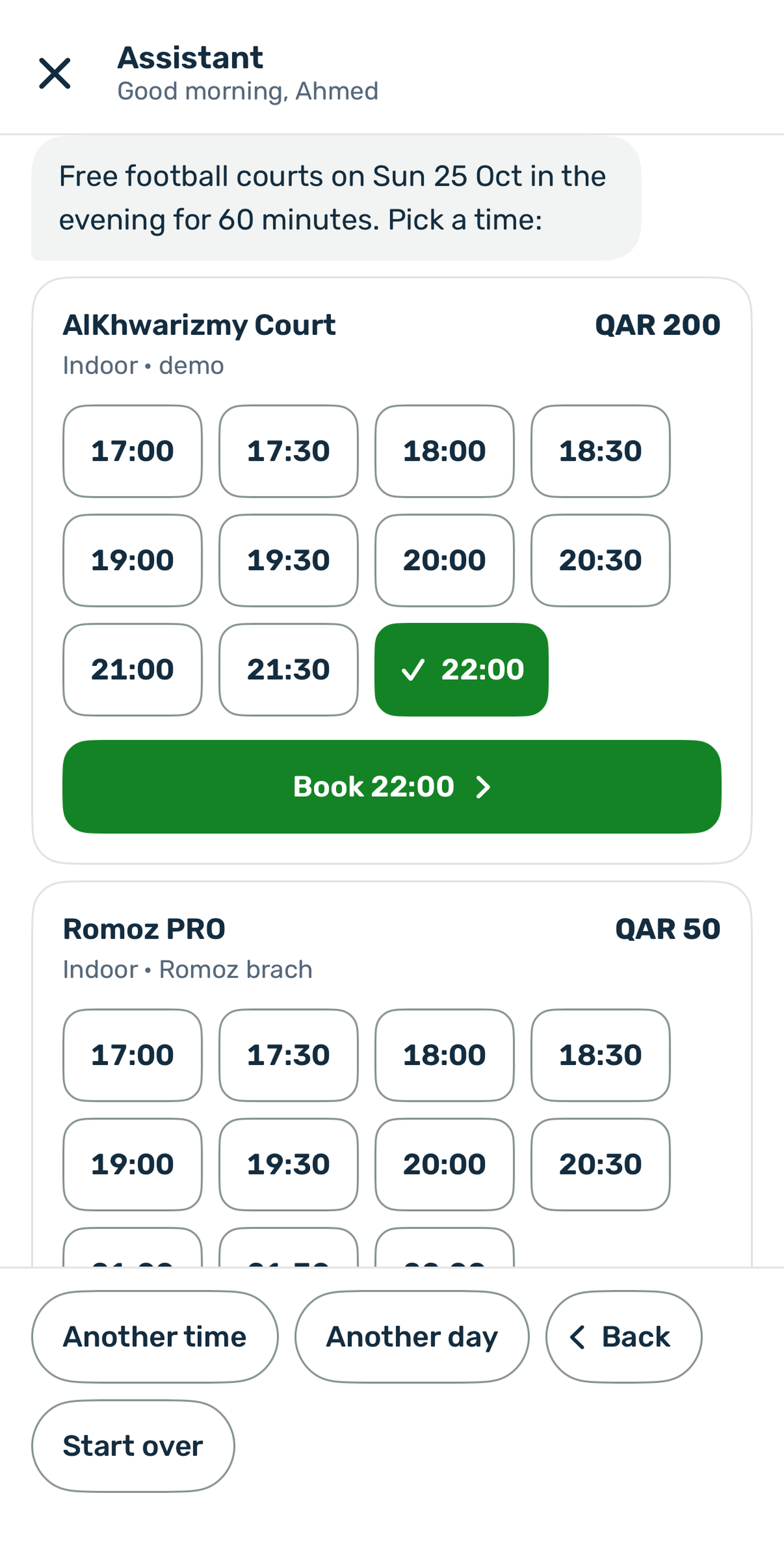
A tap on a time selects it, and only that court shows its Book button with the time, such as Book 22:00. Only one time is selected across all the cards. A second tap on the same time clears it.
How prices show#
Each start time has its own price for the chosen length, so peak hours and free times show as they really are.
| When | The card shows |
|---|---|
| Every free time costs the same | The price, for example QAR 120 |
| Prices differ between the times | The lowest paid one with from, for example from QAR 120 |
| The free times cost nothing | Free |
| The player picked a time | That time's price, for example QAR 200 |
The prices come from the court's Pricing and Schedule tabs. See Prices.
Book opens the booking screen#
Book opens the court in the app on its Book tab, with the court, sport, date, length and time already selected. The player checks the total, adds a voucher if they have one, confirms and pays there. Nothing is booked from the assistant. If someone else took the time in the meantime, the court screen says so and the player picks another.
Other options under the results#
- Another time goes back to What time? and Another day to Which day?
- When nothing is free, the assistant says, for example, No free padel courts on Sun 26 Oct in the evening. If a later day within the next seven has free courts in the same part of the day, it adds The nearest free day is Mon 27 Oct. and offers Nearest free: Mon 27 Oct.