

Esta página aún no está traducida al español, así que estás leyendo la versión en inglés.
Coaches on a plan
Offer coaches on a plan for a monthly add on, require one if you want, change a member's coach later, and what members see.
With the Coach service on, a plan can offer coaches. The member picks one when they subscribe and pays a monthly price for them on top of the plan. The coach then sees that member in the coach area of the app. Coaches themselves are created on the Coaches page, see Create a coach.
The Coaches tab#
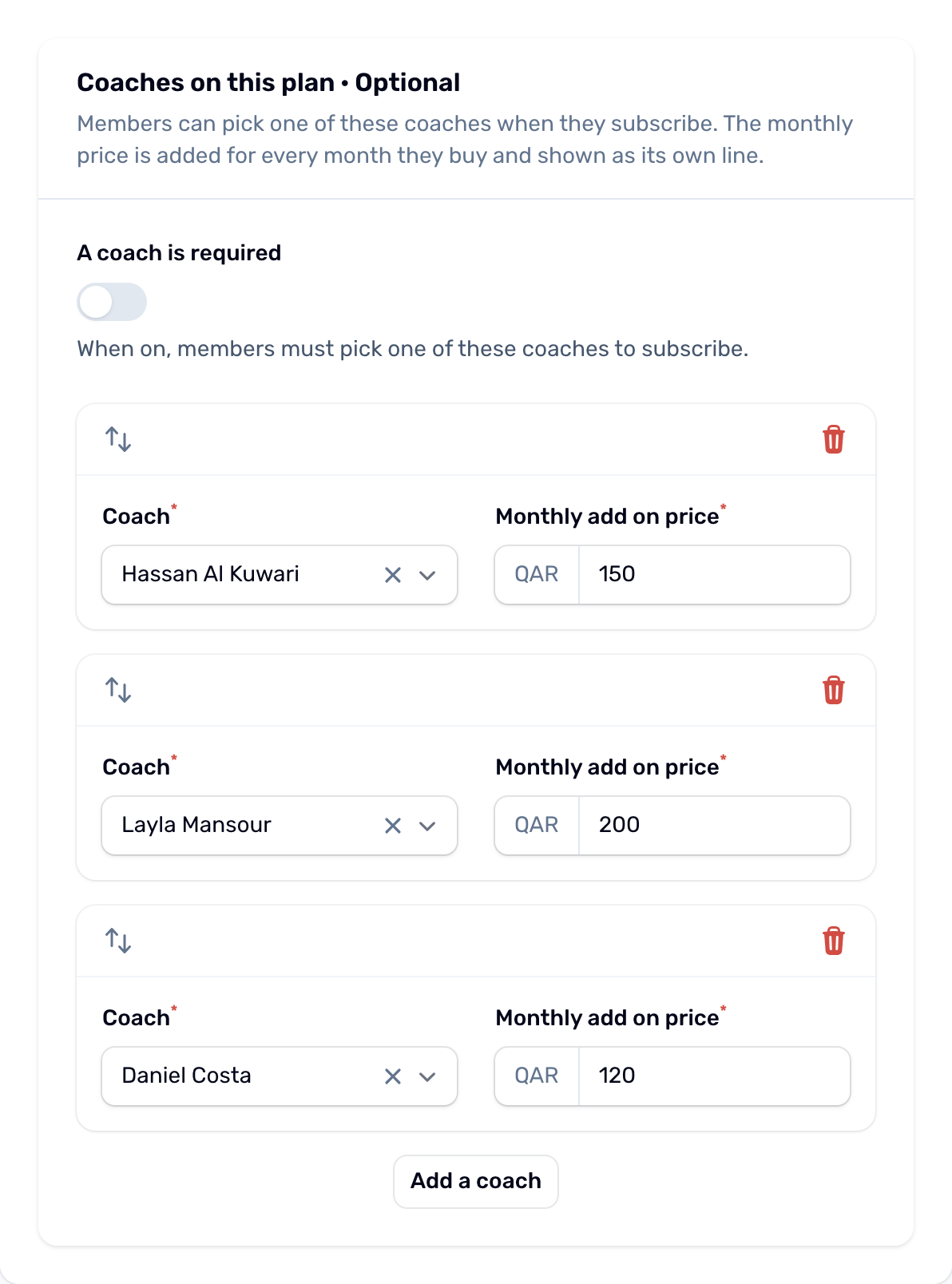
The plan editor shows a Coaches tab before Members when the Coach service is on.
| Field | What it does |
|---|---|
| A coach is required | On: members must pick one of the plan's coaches to subscribe. Off: picking a coach is optional. |
| Add a coach | Adds a row. Pick the Coach and type the Monthly add on price, in the plan's currency. Each coach can be on the plan once. Only active coaches can be picked. |
If the tab says there are no active coaches yet, add them on the Coaches page first. A plan that offers coaches counts as a plan with a coach, so the With coach switch is not shown while the Coach service is on.
The price#
What the member pays at subscribe is:
- the plan's price for the chosen length, after any running offer
- plus the coach's monthly price times the number of months
The coach is its own line on the bill. Offers only discount the plan, never the coach. A voucher comes off the total. Example: a 3 month plan at 810 QAR with a coach at 100 QAR a month costs 810 plus 300, so 1110 QAR.
When the member extends, the extra months carry the coach's current monthly price too, as long as the plan still offers that coach.
Change a member's coach#
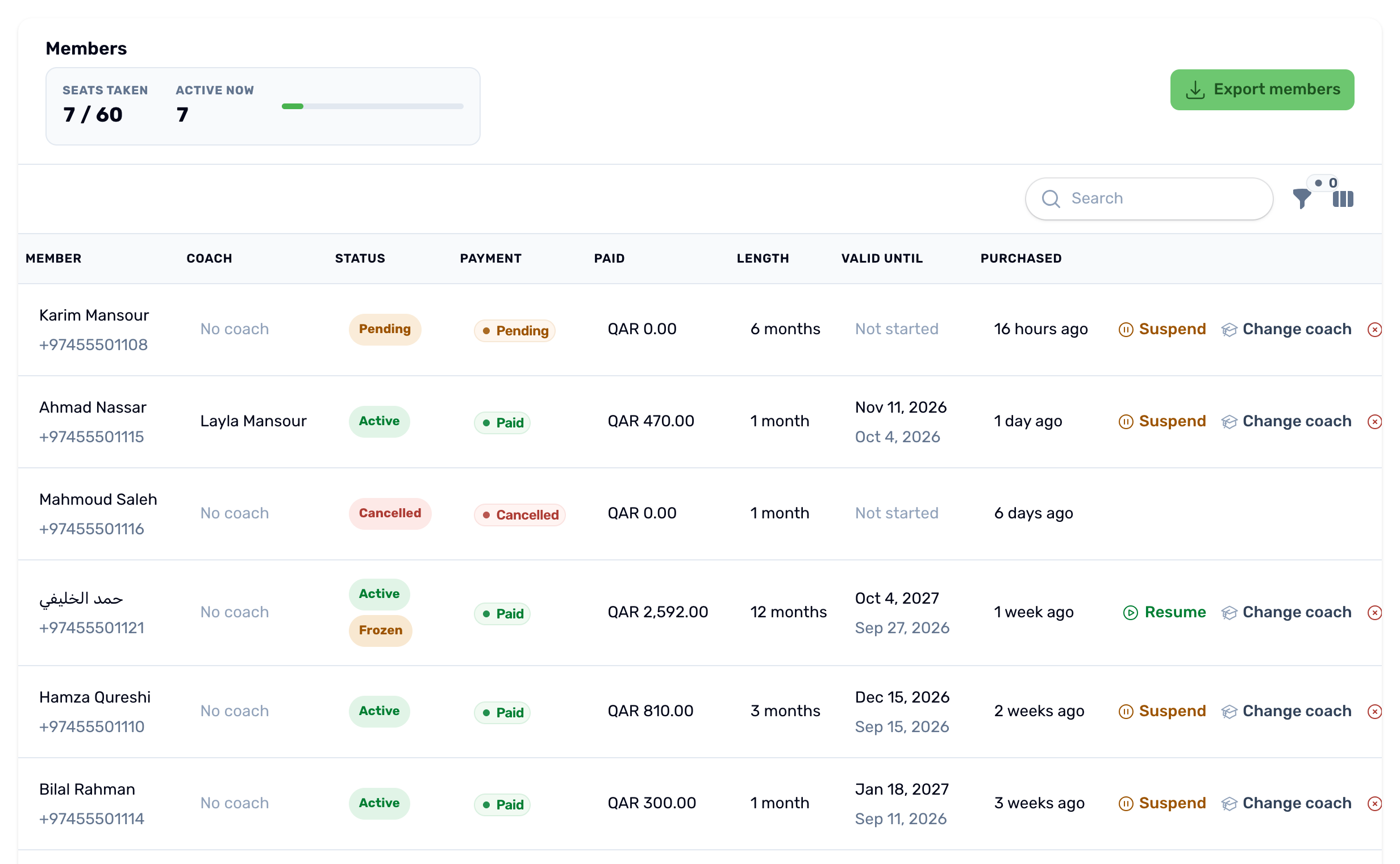
In either Members list, a Coach column shows each membership's coach, or No coach. To change it, use Change coach in the row's actions.
-
Pick the new coach
Choose one of the coaches the plan offers, or leave it on No coach to remove the coach. -
Add a reason if you want
The reason is kept in the audit log with the change. -
Confirm
The coach changes at once. The price already paid does not change.
The member gets Your coach changed. The new coach gets New member assigned when the membership is paid. Change coach shows only on memberships that are not cancelled and whose plan offers coaches.
What members see#
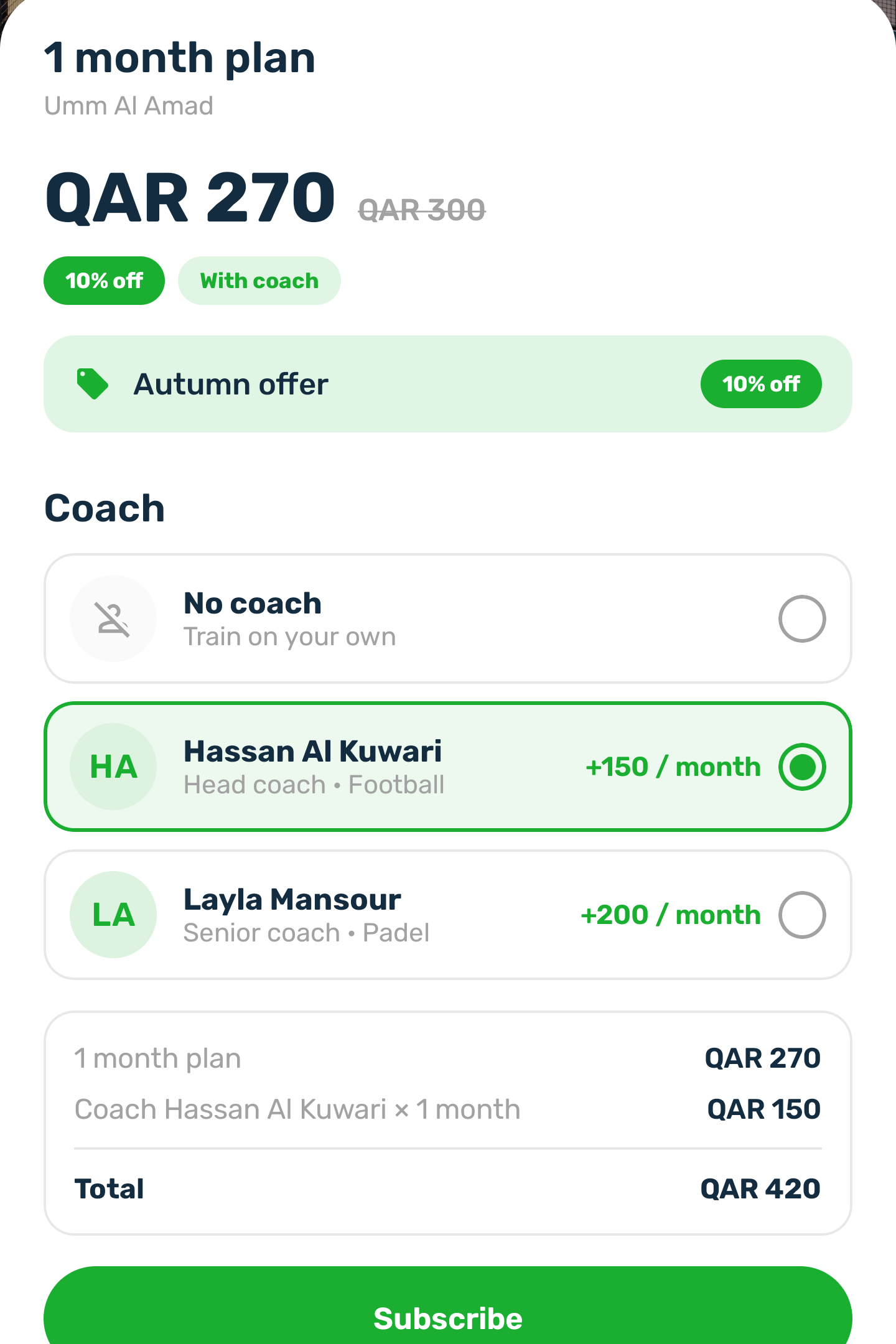
- On the plan, the coaches it offers with their monthly price. A private coach shows the name only.
- Subscribe on a plan that offers coaches opens the plan first, so they pick a coach, or No coach, before paying.
- The coach as its own line in the price before they pay.
- If they leave the payment and subscribe again on the same plan with another coach, or none, the reservation is priced again.
- Their membership shows their coach.
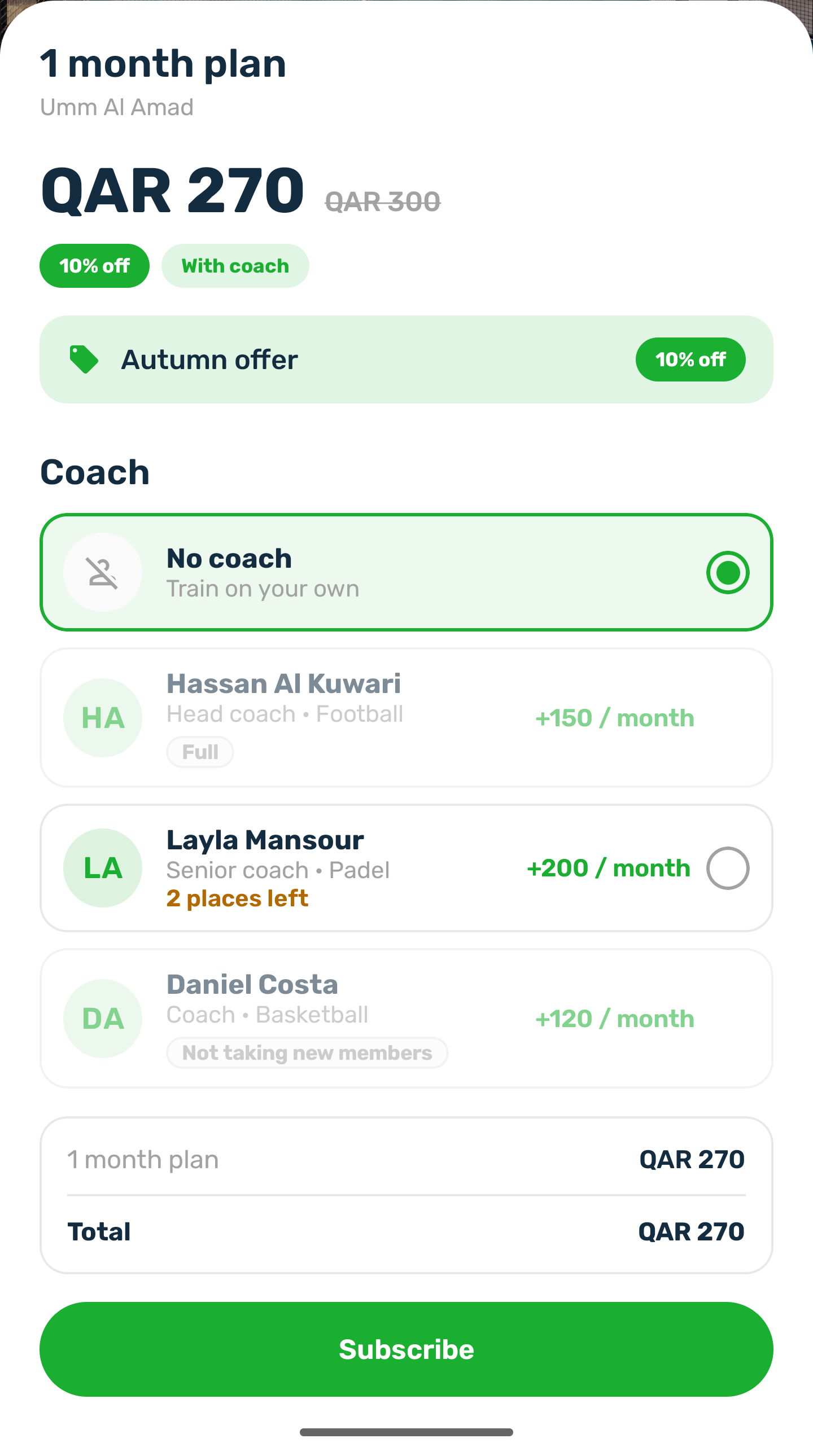
- A coach who is full or not taking new members shows greyed with Full or Not taking new members, and cannot be picked. When 1 to 3 places are left, the app says how many.
- Tapping the picked coach again clears the pick.
When subscribing does not work#
| Message | Why |
|---|---|
| Pick a coach to subscribe to this plan. | The plan requires a coach and none was picked. |
| This coach is not offered on this plan. | The coach was taken off the plan or set to Inactive while the member was choosing. |
| [Coach] is not taking new members right now. | The club turned off Taking new members on the coach. |
| [Coach] has no places left for new members. | The coach reached their member limit. |